Rapport de bug depuis iOS et Android
- Lecture
- 1 minute
- Catégories
- Application Android
- Application iOS
Si vous rencontrez une erreur dans l’application Proton Mail sur Android ou iOS, veuillez nous en informer dès que possible. Vous trouverez ci-dessous des instructions étape par étape pour envoyer un rapport de bug à l’équipe de support Proton Mail. Le processus est le même sur Android et iOS.
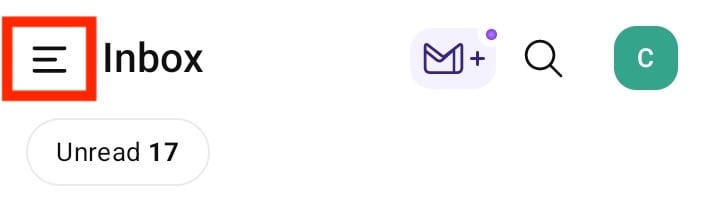
Ouvrez l’application et appuyez sur le bouton de menu (☰) dans le coin supérieur gauche de votre écran.
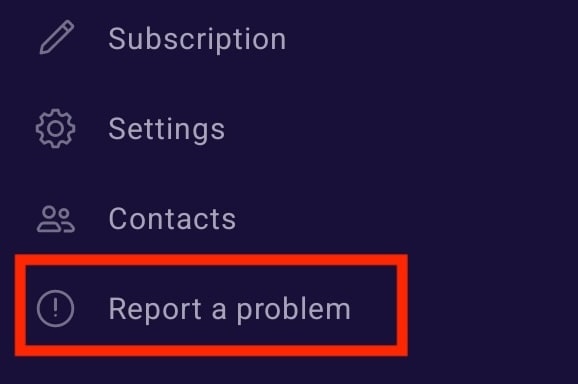
Dans le menu, sélectionnez l’option Signaler un bug.
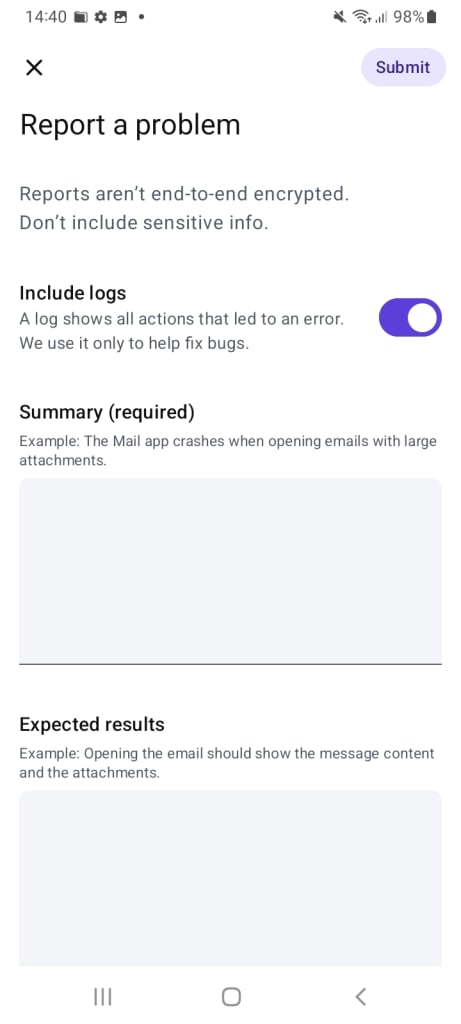
Saisissez une description claire de l’erreur que vous rencontrez, y compris ce à quoi vous vous attendiez au lieu de l’erreur, puis appuyez sur Envoyer. Avant d’envoyer un rapport de bug, veuillez vous assurer d’essayer les étapes de dépannage de base qui se trouvent dans ce tutoriel.